If sales reps are anything like the average business leader, they spend at least three hours a week scheduling meetings. The time spent coordinating calendars is time that could be spent actually selling.
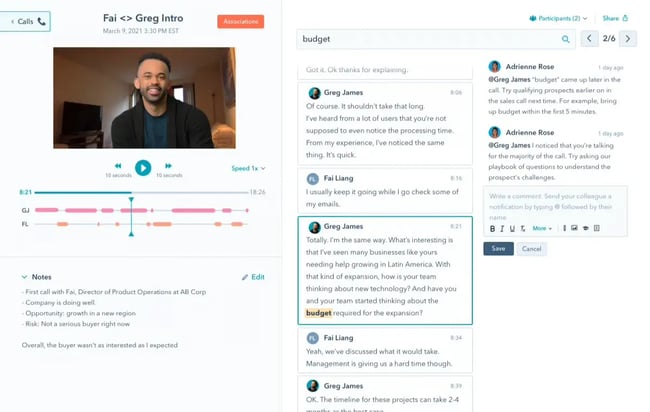
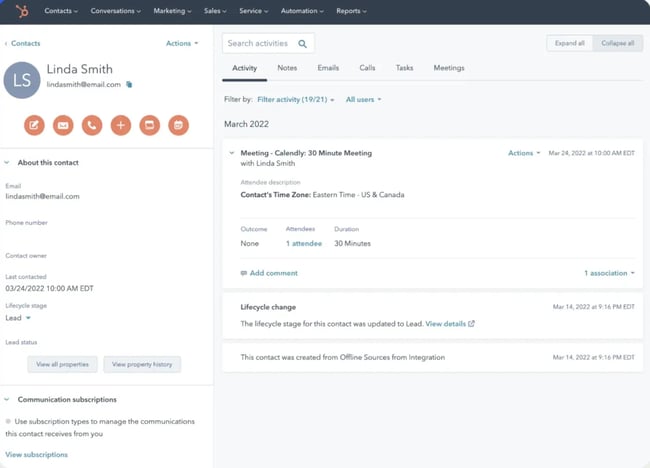
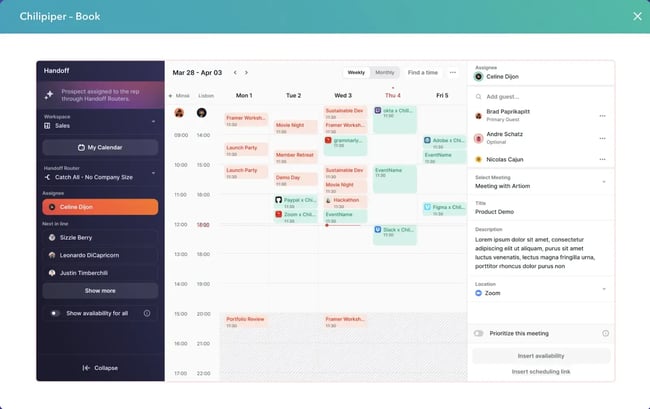
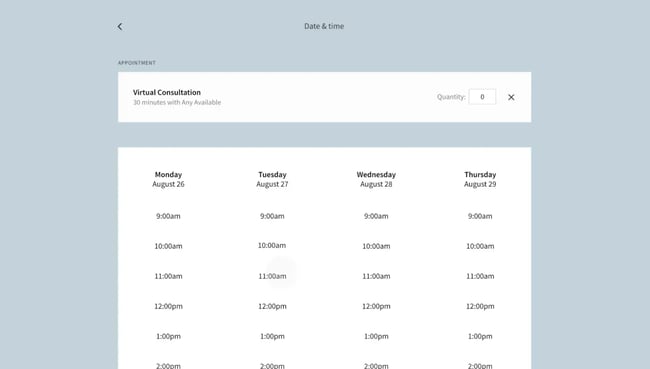
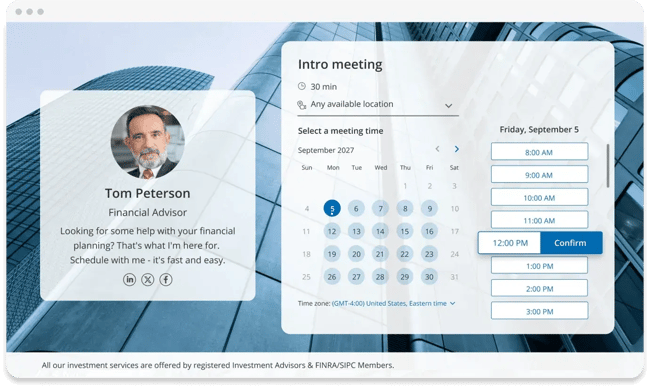
Sales scheduling software is a specialized tool designed to streamline meeting coordination for revenue teams while maintaining context within their CRM. Unlike generic appointment schedulers, sales scheduling platforms integrate deeply with sales workflows, automatically logging meeting data, syncing with pipeline stages, and routing prospects based on territory, product line, or deal size. The distinction matters because sales teams need more than just calendar availability. They need routing logic to assign demo requests to the right account executive, integration to eliminate duplicate data entry, and analytics to connect meetings to revenue outcomes. HubSpot’s Sales Hub meeting scheduler, for example, exemplifies this approach by embedding scheduling directly into the CRM where sales teams already work. This integration ensures every booked meeting automatically updates contact records and appears in deal timelines. Sales scheduling software and appointment scheduling software serve different workflows and buyer contexts. Here are the core differences between sales scheduling software and appointment scheduling software. Appointment scheduling software focuses on availability management and calendar coordination. These tools excel at scenarios like booking service appointments or coordinating one-off consultations. They typically offer features such as public booking pages, calendar syncing, and automated reminders. Appointment scheduling software is best for healthcare providers, consultants, and service businesses where the primary goal is filling appointment slots efficiently. Sales scheduling software is built for complex, multi-stakeholder sales processes. These platforms layer routing logic, CRM integration, and revenue analytics on top of basic scheduling. They handle scenarios like routing enterprise demo requests to senior account executives, coordinating multi-rep discovery calls with buying committees, and tracking which meetings convert to closed deals. The software integrates with sales engagement platforms, marketing and sales automation, and revenue intelligence tools to maintain context throughout the buyer journey. To put it simply: appointment schedulers manage individual calendars while sales schedulers manage team capacity and territory assignments. Sales-focused platforms also track conversion rates and pipeline contribution, which becomes more important with scale. For revenue teams, these distinctions directly impact quota attainment and forecast accuracy. The best sales scheduling software features are the ones that help sales and revenue teams focus less on coordination and more on selling. As teams scale, scheduling features should help streamline meeting workflows. Below are the most important features to look for when evaluating sales scheduling software. Native CRM integration ensures that every scheduled meeting automatically creates or updates contact records, logs activities, and appears in relevant deal timelines without manual data entry. This eliminates the gap between when a prospect books a meeting and when that information reaches the sales team. Alexandros Papantoniou, a marketing consultant and sales expert, emphasizes the importance of seamless integration with CRM and existing marketing funnels when evaluating sales software. “A big reason why we may reject a tool is if booking a meeting feels disconnected from the UX the prospect went through in the funnel,” he says. “This makes it feel too much like ‘outbound marketing.’” HubSpot’s meeting scheduler syncs bidirectionally with the CRM, so changes made in either system are reflected instantly. When a prospect books a demo through a HubSpot meeting link, the contact record updates, the deal stage advances if configured, and the assigned rep is notified automatically — all without leaving the platform. This integration extends to custom properties, so teams can capture qualification information during booking and route accordingly. Routing logic distributes incoming meetings based on predefined criteria like geography, product expertise, deal size, or current workload. Round robin distribution cycles through available reps to balance meeting loads, while rules-based routing directs high-value prospects to senior closers. Another aspect of intelligent routing to consider is time zone intelligence, suggests Papantoniou. “Having worked with various global and national agencies in sales positions, one of the features we look for is the ability to book meetings with team members in the appropriate time zones,” he says. “Generic meeting tools can translate time into the booker’s time zone and even do round-robin bookings. But for international companies, it’s important that UK enterprise partnership meetings only get booked with UK enterprise partnership staff, for example, not just the next available SDR.” HubSpot’s routing capabilities allow teams to create sophisticated distribution rules directly within the CRM. Users can route based on contact properties — such as industry, company size, or region — lifecycle stage, or even custom qualification scores. The platform supports both equal distribution for balanced pipelines and weighted routing for teams with varying capacity or seniority levels. Pooled availability displays combined calendar openings across multiple team members, allowing prospects to book with the first available rep rather than selecting from individual schedules. Group scheduling coordinates meetings that require multiple stakeholders, synchronizing calendars to find mutual availability. For teams running multiple discovery calls or product demos daily, HubSpot’s group and round robin scheduling ensures prospects always see available slots without requiring individual rep selection. The system checks all eligible reps’ calendars simultaneously and presents unified availability, reducing time-to-meeting and improving conversion rates for high-intent leads. Advanced platforms use AI scheduling assistants to capture meeting recordings, generate transcripts, and surface key moments or action items from sales conversations. This intelligence feeds into coaching programs and helps managers identify best practices or areas for improvement across the team. As an example, HubSpot’s Conversation Intelligence feature automatically records video calls, transcribes conversations, and highlights important topics discussed. The recordings sync to contact and deal records, creating a searchable archive of every customer interaction. Meeting intelligence is essential not only to close deals but also for training and onboarding. Sales leaders can review calls for onboarding new reps, and individual contributors can revisit objection handling or technical questions discussed during discovery. For sales managers and revenue teams seeking to streamline meeting scheduling, reduce manual coordination, and improve sales productivity, these are the best integrated sales scheduling platforms to consider. Below is a comparison of the top sales scheduling software. Sales Scheduling Platform CRM Integration Routing Round Robin Reporting Pricing HubSpot Sales Hub Yes Yes Yes Yes Starts at $20/month per seat Calendly Yes Yes, when integrated with a CRM Yes Yes Starts at $12/month per seat Chili Piper Yes Yes, when integrated with a CRM Yes Yes Starts at $22.50/month per seat Acuity Scheduling Yes No Yes Yes Starts at $16/month OnceHub Yes Yes Yes Yes Starts at $10/month per user; free plan available HubSpot Sales Hub provides comprehensive scheduling capabilities integrated directly into its CRM platform. The seamless integration makes it the natural choice for teams already using HubSpot for marketing or customer service, as well as for those seeking an all-in-one revenue platform. Key sales scheduling features include: The platform handles routing through workflows that assign meetings based on any contact property, supports round robin distribution with custom weighting, and provides pooled team availability for high-velocity sales motions. Every interaction, from call attempts to booked meetings to conversation transcripts, automatically logs to the appropriate contact and deal record. Pricing: Sales Hub starts at $20/month per seat for Starter. The Professional plan, which includes meeting assistant and advanced routing, is $100/month per seat for Professional, while Enterprise is $150/month per seat. What I like: The unified platform eliminates context switching between tools. Reps access calling, scheduling, email tracking, and pipeline management from a single interface, and managers gain complete visibility into activity metrics and conversion rates without integrating multiple systems. Calendly is a standalone scheduling platform known for its intuitive interface and flexibility across various use cases, from sales to recruiting to customer success. Its core features include: Pricing: Free tier available; paid plans start at $12/month per seat for Standard, $20/month for Teams, and Enterprise pricing starting at $15K. What I like: Calendly’s wide adoption and accessibility mean prospects are likely familiar with the interface, reducing friction in the booking process. The platform’s extensive integration library supports connections to most major CRM and marketing automation platforms. Chili Piper specializes in speed-to-lead optimization, focusing on instant meeting booking for inbound prospects while they’re still engaged with a brand’s website or marketing content. Its core features include: Pricing: ChiliCal is $22.50/month per user; full platform pricing is $45/month per user. Best for: Customer-facing reps will benefit from the instant booking tool. The focus on immediate booking reduces time-to-meeting from days to minutes. Owned by Squarespace, Acuity Scheduling offers robust appointment management and strong payment processing, making it suitable for sales teams or service businesses that collect deposits or consultation fees. Its core features include: Pricing: Plans start at $16/month. Best for: The payment integration makes Acuity particularly valuable for small businesses or consultants who charge for discovery calls or appointments. The platform supports both one-on-one meetings and group events, enabling webinars or group demos alongside individual calls. OnceHub provides conversational scheduling through chatbots and interactive booking experiences, designed to qualify leads while coordinating meetings. Its core features include: Pricing: Free plan and 14-day free trial available; paid plans start at $10/month per user for basic features. What I like: The conversational interface feels more engaging than traditional calendar grids, and the built-in qualification questions ensure reps meet only with properly vetted prospects. Sales scheduling software integrates deeply with CRM systems and sales workflows to maintain context throughout the revenue process, while appointment scheduling software focuses primarily on calendar coordination. Sales platforms include advanced features such as territory-based routing, pipeline-stage tracking, and revenue analytics that connect meetings to closed deals. They’re designed for complex, multi-touch sales processes that factor in lead source, buyer persona, and deal history. Appointment schedulers focus on availability management and work well for service businesses. Round robin scheduling benefits teams of any size by distributing meeting loads fairly and preventing cherry-picking of incoming leads. Even with three or four reps, unbalanced distribution can skew performance metrics, making it difficult to identify genuine skill gaps versus assignment advantages. Round robin scheduling becomes more important as sales teams scale. Without rotation, senior reps or those who respond fastest accumulate disproportionate opportunities, while newer team members lack the pipeline to develop skills and hit quota. Round robin ensures every rep gets comparable experience with inbound leads, creates clearer benchmarks for performance coaching, and maintains morale by demonstrating fair opportunity allocation across the team. To route inbound requests to the right rep, implement routing rules based on qualification criteria captured during the booking process. Use form fields or embedded questions to collect information on company size, industry, product interest, or geography, then create conditional logic to assign meetings based on these properties. Sales scheduling platforms like HubSpot Meetings allow users to build routing workflows using if/then conditions, territory mappings, or custom fields synced from a CRM. To reduce no-shows across time zones, send confirmation emails immediately upon booking. Follow up with reminder sequences at strategic intervals, typically 24 hours and 1 hour before the scheduled meeting. Include clear time zone information in all communications, and consider adding calendar invitations that automatically adjust to the recipient’s local time zone to eliminate confusion. For international teams, enable local presence dialing or video conferencing options that respect regional preferences. Some prospects prefer phone calls during business hours, while others favor video meetings. Allow for booking flexibility and include precise timing details, such as “2:00 PM EST (which is 7:00 PM GMT for you),” in confirmations. HubSpot’s Meeting Scheduler automatically handles time zone conversion and includes this clarity in automated reminders, reducing the confusion that leads to missed meetings. For sales platforms with native CRM integration, like HubSpot, a basic implementation can take1-2 weeks. This includes configuring routing rules, customizing booking pages with branding and qualification questions, training reps on link creation and meeting management, and setting up automated reminders and follow-up sequences. Teams can typically schedule their first meetings within days while refining advanced routing and analytics over subsequent weeks. More complex deployments involving custom integrations, territory mapping across multiple products or regions, or migration from legacy systems can extend to 4-6 weeks. The timeline depends on factors like the number of meeting types teams need to configure, integration requirements with existing sales engagement platforms, and the extent of change management needed to drive adoption across sales teams. Most vendors provide implementation support and templates to accelerate deployment, and rolling out in phases reduces risk while demonstrating value. Sales scheduling software transforms meeting coordination from a time-consuming administrative burden into a strategic tool. The right platform reduces coordination overhead, ensures prospects connect with the most qualified rep, and maintains complete context within the CRM. A more streamlined workflow frees up sales teams to focus on selling rather than scheduling. HubSpot Sales Hub delivers these capabilities within a unified revenue platform, eliminating the integration complexity and context switching that plague multi-tool stacks. From initial contact through closed deal, a sales team can operate from a single source of truth where every meeting, call, and conversation automatically enriches customer data. For teams that implement intelligent scheduling with proper routing and CRM integration, efficiency gains compound as the organization scales. Responding to inbound leads in minutes rather than days creates a measurable advantage in conversion rates and pipeline velocity.Sales Scheduling Software vs. Appointment Scheduling Software
What is sales scheduling software?
Sales Scheduling Software vs. Appointment Scheduling Software
Appointment Scheduling Software
Sales Scheduling Software
Sales Scheduling Software Features That Matter At Scale
CRM Integration and Automatic Activity Logging
Intelligent Routing and Round Robin Distribution
Pooled Team Availability and Group Scheduling
Meeting Intelligence and Conversation Analytics
5 Best Sales Scheduling Platforms
1. HubSpot Sales Hub
2. Calendly
3. Chili Piper
4. Acuity Scheduling
5. OnceHub
Frequently Asked Question About Sales Scheduling Software
What is the difference between sales scheduling software and appointment scheduling software?
Do we need round robin scheduling for a small sales team?
How do we route inbound requests to the right rep quickly?
How can we reduce no-shows across time zones?
How long does migration and rollout typically take?
Transform Your Workflows With Sales Scheduling Software