Sales reps spend only two hours per day actually selling, while administrative tasks consume roughly one hour of their day. When reps toggle between email threads, check availability across time zones, and chase down confirmations, they lose time that should be spent closing deals.
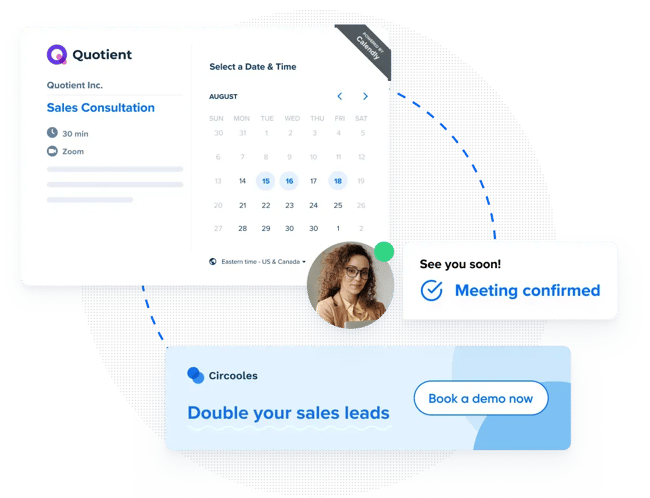
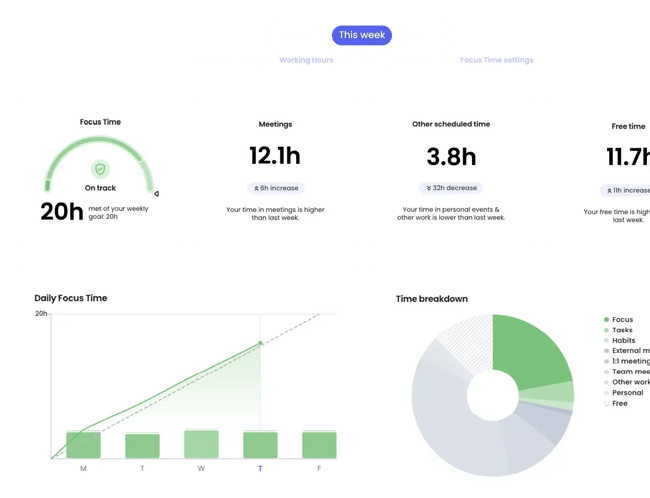
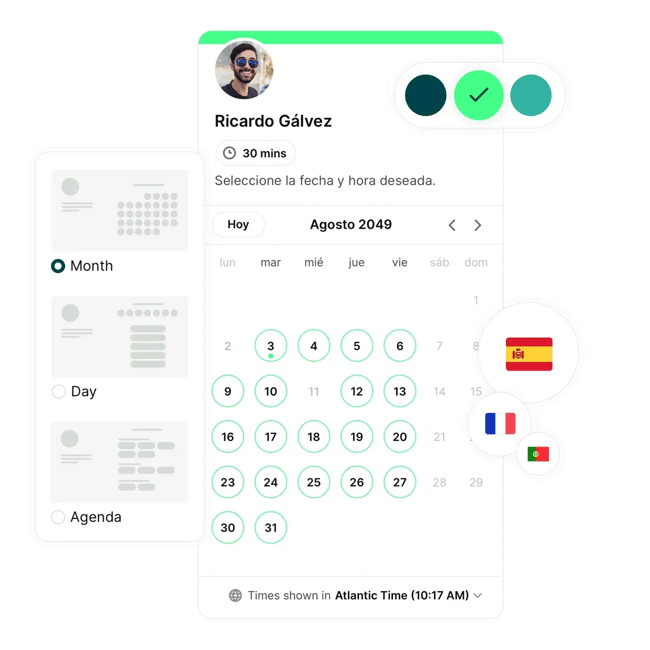
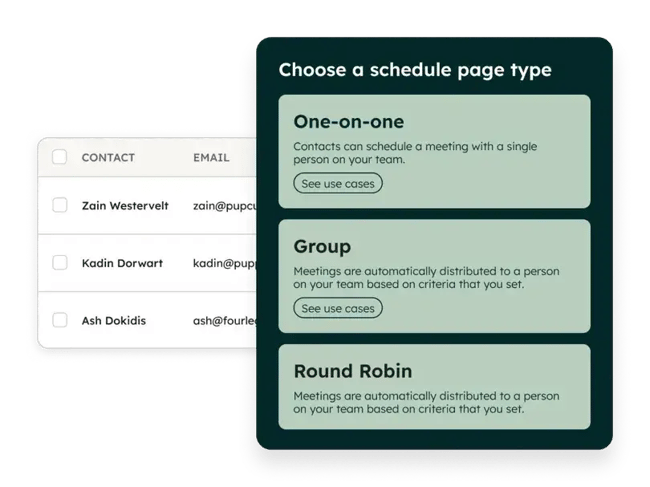
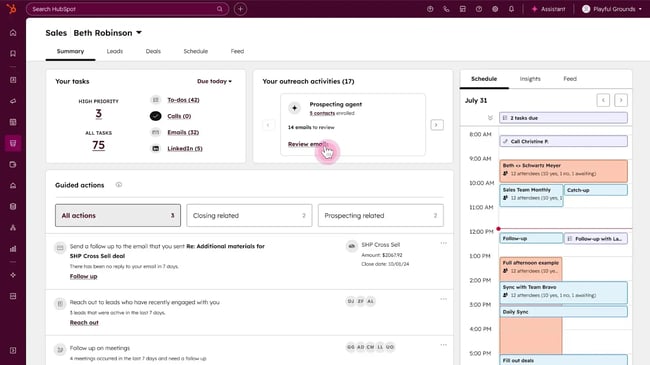
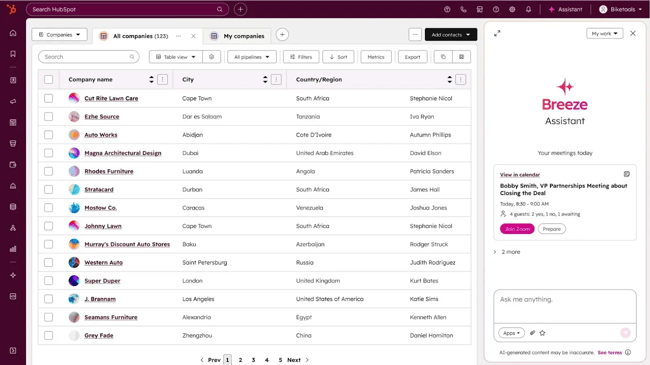
Generic calendar apps might handle basic bookings, but they fall short when teams need lead routing, CRM integration, or coordination across multiple reps. The best free scheduling software for sales teams automates meeting logistics while feeding data back into the pipeline. Tools should sync calendars, capture lead information, fairly distribute meetings, and trigger follow-up workflows without manual input. Below are the core features that separate sales-grade scheduling tools from basic calendar apps. Each capability directly impacts how quickly reps can book qualified meetings and move deals forward. Pooled availability shows combined open slots across multiple reps, letting prospects book with the first available team member instead of waiting for a specific person. This feature keeps response times tight and gives managers control over who’s in rotation based on performance, capacity, or territory shifts. HubSpot’s pooled scheduling creates shared booking links that pull availability from selected reps. Prospects see the earliest open slots across the team, and meetings get assigned using routing rules or round-robin logic. Round-robin scheduling distributes meetings evenly across multiple reps, cycling through the team automatically. When a prospect books, the tool assigns it to the next available rep, so no one person carries the entire load. Shared inbound queues and SDR pools benefit most from this feature. Round-robin prevents bottlenecks, keeps response times consistent, and gives newer reps equal access to opportunities, which accelerates ramp time and maintains steady pipeline flow. With HubSpot‘s round-robin feature, meetings rotate across selected team members based on availability. Users can weight assignments by capacity, exclude reps who’ve hit quota, or prioritize certain team members during onboarding. CRM writeback automatically logs scheduled meetings, contact details, and booking metadata into the CRM. Instead of reps manually creating records or updating deal stages, the scheduling tool pushes that information directly into the system. This feature keeps pipeline data accurate and gives managers visibility into meeting volume, no-show rates, and rep activity. When scheduling tools live outside the CRM, data gets lost or duplicated, creating reporting gaps that slow down coaching and forecasting. Form capture collects qualifying information before a meeting is booked. Rather than simply selecting a time slot, prospects answer questions like company size, pain points, or budget range, giving reps context before the call even starts. Beyond basic qualifications, users can also schedule surveys to gather deeper prospect insights before calls. HubSpot’s scheduling pages let users add custom form fields that flow directly into contact properties. Require fields like role, company revenue, or tech stack to ensure every booked meeting comes with the context needed for a sharp conversation. Lead routing assigns meetings to reps based on territory, product expertise, deal size, or availability. Prospects connect with the rep best positioned to close them instead of booking with whoever happens to have an open slot. Effective B2B appointment setting depends on connecting prospects with the right rep from the start. HubSpot’s routing logic pulls from CRM properties to assign meetings dynamically. Route by lead source, industry, deal value, or custom criteria, then layer in round-robin or ownership-based rules to distribute meetings fairly. Calendar sync connects the scheduling tool to Google Calendar, Outlook, or other platforms so availability updates in real time. Double-bookings disappear because the tool blocks time across all connected calendars the moment a prospect confirms a meeting. HubSpot’s scheduling tool syncs with Google Calendar and Office 365, pulling availability automatically as meetings are booked or rescheduled. Set buffer times between calls, define specific hours for prospect meetings, and let the system handle calendar organization without manual adjustments. Automated reminders send email or SMS notifications before scheduled meetings, cutting no-show rates and keeping prospects engaged. Most tools send reminders 24 hours and 1 hour out, giving attendees time to reschedule if conflicts pop up. HubSpot’s scheduling tool sends automated email reminders at intervals users define. Customize reminder copy, attach meeting prep materials, and include calendar files so prospects have everything they need to show up prepared and on time. Group scheduling coordinates meetings with multiple attendees by checking availability across participants and surfacing times that work for everyone. Team demos, multi-threaded sales calls, and executive presentations all require this feature because getting several stakeholders aligned is nearly impossible manually. HubSpot’s group scheduling checks availability across selected team members and external participants, then shows open slots that work for everyone. Set required and optional attendees, define meeting length, and send a single booking link that accounts for all calendars involved. Embeddable scheduling links let teams place booking widgets directly on websites, landing pages, or email signatures. The booking interface appears inline instead of sending prospects to a separate scheduling page, which cuts friction and improves conversion rates. HubSpot’s scheduling tool generates embed codes that drop into HubSpot pages, external websites, or email templates. The booking widget matches the brand’s page design, loads quickly, and syncs bookings back to the CRM without requiring prospects to navigate away. Growing sales teams need scheduling tools that distribute meetings fairly, integrate with CRM systems, and scale without forcing platform migrations. The challenge is that most “free” plans are deliberately crippled. They limit event types, block round-robin distribution, or require Zapier workarounds for basic CRM connections. The tools below represent the strongest free-tier options for teams managing shared inbound queues, coordinating multi-rep coverage, or building sales infrastructure on tight budgets. Each handles the basics — calendar sync, automated reminders, video conferencing links — but they differ dramatically in how much power they give away for free. Before diving into individual reviews, here’s how the top free tiers compare on features that matter most for sales teams: Cal.com is an open-source scheduling platform that gives solo sellers and small teams full control over their booking infrastructure without vendor lock-in. Unlike closed platforms, Cal.com lets users self-host their scheduling system or use the hosted version. This appeals to technical users who want to customize workflows, own their data completely, or integrate scheduling into existing systems without API restrictions. Cal.com‘s free tier is genuinely robust. It offers unlimited event types, unlimited calendar connections, workflows, and even payment processing through Stripe come standard. The platform also includes Cal.ai phone agents and Cal Video for meeting coordination. However, the initial setup can feel overwhelming, especially with numerous configuration options that aren’t always intuitive. While customization depth is praised, teams can also hit walls when trying to tailor specific workflows, and the interface lacks the polish of commercial alternatives. Verdict: I‘d use Cal.com if I value flexibility and feature depth over plug-and-play simplicity. The free tier genuinely competes with paid alternatives. I wouldn’t recommend it for teams that need immediate, zero-friction setup or those without patience for configuration complexity. Calendly automates meeting scheduling for sales teams by syncing calendars, distributing bookings across reps, and collecting lead information before calls even start. The interface is clean and predictable. Users praise how quickly they can set up event types, connect calendars, and start booking meetings without wading through documentation. That simplicity comes at a cost. Calendly optimizes for ease over depth, which means teams outgrow it once workflows get complex. Calendly’s free tier is restrictive, which makes it better suited for paid plans when scaling beyond individual use. The platform lacks native CRM writeback on lower tiers, requiring Zapier workarounds or upgrades to push meeting data into sales systems. Customization options feel shallow compared to tools built specifically for sales workflows, and AI features remain underdeveloped despite user demand. Verdict: I’d use Calendly if my team needs reliable scheduling automation without heavy CRM integration requirements. It excels at eliminating calendar coordination and works well when booking speed matters more than deep pipeline visibility. The Teams plan delivers solid routing and round-robin features for growing sales teams. I wouldn’t recommend it for teams that need tight CRM writeback on a budget or organizations requiring extensive customization. Reclaim.ai uses AI to defend focus time, auto-schedule tasks, and find optimal meeting slots across busy calendars, making it ideal for solo sellers juggling client calls with deep work. Reclaim treats the entire calendar as a planning system. It blocks time for tasks, habits, and buffer periods while still making room for client meetings. The AI continuously reschedules work blocks as new meetings come in, which keeps calendars organized without manual adjustments. Reclaim offers time-saving capabilities and flexible scheduling that adapts to dynamic workloads. The free tier includes unlimited tasks and buffer time, though it limits users to one scheduling link and one habit, with only a one-week scheduling range. However, task dependency management and scheduling conflicts require careful oversight, and the free version also restricts calendar integrations. Verdict: I‘d use Reclaim.ai if protecting deep work time matters as much as booking client meetings. It’s perfect for solo sellers who need AI to carve out prospecting blocks while staying available for demos and discovery calls. The task automation genuinely saves time by rescheduling work as meetings shift. I wouldn’t recommend it for teams focused purely on meeting coordination. Also, skip it if the team needs robust scheduling links on a budget, since the free tier caps users at one link with a narrow scheduling window. Only sellers and small teams (1-3 reps) have needs different from those of growing organizations. Smaller teams are not distributing hundreds of inbound leads or managing complex territory routing. They just need reliable booking links that don’t require a second mortgage or a computer science degree to set up. The best free tools for individual contributors prioritize simplicity, customization, and automation without forcing users into enterprise-grade complexity. Some excel at payment processing for paid consultations, others focus on defending deep work time alongside client meetings, and a few offer surprisingly robust CRM integration even on free tiers. Below are the top free scheduling apps for salespeople who need scheduling that works immediately without requiring team coordination features they won’t use for months. YouCanBook.me delivers highly customizable booking pages with payment processing, polling, and extensive notification controls. These features make YouCanBook.me a strong fit for solo sellers and consultants who need branded scheduling without enterprise overhead. The platform emphasizes visual customization and booking flow control. Users can brand pages with logos, custom colors, background images, and tailored confirmation messaging. The free tier includes Stripe payments for credit cards, Apple Pay, and Google Pay. There are also video conferencing connections to Zoom, Teams, and Google Meet. However, the free tier restricts users to one calendar connection and one booking page, limiting growth potential. The interface feels dated compared to modern alternatives, and while features are powerful, navigation can feel cluttered for users who want streamlined simplicity. Verdict: I’d use YouCanBook.me if I need payment processing and deep customization on a budget. The free tier genuinely supports paid bookings and video conferencing, which makes it strong for consultants and service providers who charge for their time. The availability overlay and polling features add flexibility that pure scheduling apps skip. I wouldn’t recommend it for teams prioritizing modern design or those needing multiple booking pages without paying. HubSpot’s free meeting scheduler automates booking, meeting prep, and follow-ups while writing every interaction directly into the CRM. Prospects book meetings through shareable links, and those bookings automatically create or update contact records. This means reps never manually transfer meeting data between systems. The free tier includes features that competitors lock behind paid plans: round-robin distribution, group scheduling, form-based qualification, and AI-powered meeting prep that pulls relevant CRM context before calls. HubSpot AI also generates post-meeting summaries, flags next steps, and drafts follow-up emails based on what was discussed. For solo sellers and small teams just starting out, this level of automation typically requires stitching together multiple tools or paying for premium tiers elsewhere. Because HubSpot treats scheduling as part of the broader sales workflow, the tool connects to email sequences, deal stages, and task automation. Book a demo, and HubSpot can automatically send a prep email, move the deal to “Demo Scheduled,” create a follow-up task, and notify the rep — all without manual steps. This workflow depth sets it apart from tools focused purely on calendar coordination. Verdict: I‘d use HubSpot’s meeting scheduler if I want scheduling that works as part of a complete sales system instead of a standalone calendar tool. The free tier genuinely competes with paid competitors — AI prep, automated follow-ups, and CRM writeback come standard, not as upgrade bait. For solo sellers building prospect databases or small teams coordinating inbound, HubSpot removes the need to connect Calendly + Zapier + a separate CRM. HubSpot Sales Hub unifies scheduling, calling, and meeting intelligence in one CRM-connected platform, giving growing teams the tools to book meetings faster, coach reps smarter, and close deals without stitching together disconnected tools. Sales Hub combines three core capabilities that most teams buy separately: meeting scheduling, click-to-call dialing, and AI-powered meeting assistance. Instead of using Calendly for bookings, a separate phone system for calls, and another tool for transcription, Sales Hub handles all three while writing every interaction back to the CRM automatically. This integration means reps work from one interface, managers see complete activity timelines, and revenue operations leaders get clean data without building custom workflows or hiring integration specialists. For growing teams, this depth matters because it eliminates integration tax. When scheduling, calling, and meeting notes all live in the same system, reps stop context-switching between tabs. Managers can review call recordings, analyze booking patterns, and coach on actual conversation moments instead of relying on self-reported summaries. Revenue teams get accurate activity metrics without building Zapier bridges or reconciling data across platforms. Sales Hub scales naturally as teams grow. Start with free scheduling and calling, then add power dialer sequences, conversation intelligence, and advanced routing rules as volume increases without migrating to new tools or retraining teams on different interfaces. Professional and Enterprise tiers unlock asynchronous communication tools like 1:1 video messaging for personalized outreach, while Enterprise adds AI call transcript enrichment (beta) that surfaces deeper insights from customer conversations. Verdict: I‘d use Sales Hub if I’m building a sales system instead of patching together point solutions. The free tier delivers genuine value — scheduling, calling, and basic meeting assistance without credit cards or seat limits. Growing teams benefit most because Sales Hub eliminates integration work and keeps data clean as headcount scales. AI meeting prep and automated follow-ups save hours weekly, and having calling and scheduling in one place removes context-switching that compromises rep productivity. HubSpot’s meeting assistant joins virtual meetings automatically, transcribes conversations in real time, generates AI summaries with action items, and logs everything to the CRM without manual note-taking or post-call admin work. The tool integrates with Google Meet, Microsoft Teams, and Zoom. Once the call ends, the meeting assistant generates structured summaries, flags next steps, and attaches video recordings directly to contact and deal records. Meeting assistant works differently depending on the meeting type. For virtual meetings (Zoom, Teams, Google Meet), it joins automatically and provides full transcription and analysis. For phone calls made through HubSpot-provided numbers, it generates AI summaries by analyzing call recordings, but only if the call happens within two minutes of the meeting start time and automatic association is enabled. Reps can also chat with Breeze AI during or after calls to surface specific insights, identify objections mentioned, or pull talking points without rewatching entire recordings. Managers use searchable transcripts to coach on actual conversation moments. They can listen to how top performers handle pricing discussions or spot common objections that training should address. Verdict: I‘d use Meeting Assistant if I’m already on HubSpot Professional or Enterprise and want to eliminate standalone transcription tools while keeping conversation data in the CRM. The automatic joining, real-time transcription, and AI summaries save hours weekly and give managers coaching visibility they can’t get from self-reported notes. Breeze AI chat makes it easy to surface specific insights without rewatching recordings. Round-robin scheduling is rare among free scheduling software for sales teams. Most tools like Calendly and YouCanBook.me lock this feature behind paid tiers starting at $10-16 per seat per month. HubSpot Sales Hub includes round-robin distribution on its free plan, making it the exception for teams that need to distribute meetings evenly without paying upfront. Automated email reminders are a team’s best defense against no-shows, and most free plans include them. Send reminders 24 hours and 1 hour before meetings to keep appointments top of mind. Some tools like HubSpot and Calendly also let users customize reminder copy and add calendar files, which improves show rates by giving prospects everything they need to join on time. Direct CRM integration eliminates manual entry but rarely exists on free tiers. HubSpot’s free meeting scheduler writes bookings directly to CRM contact records automatically. For other tools like Calendly or YouCanBook.me work better. Paid plans that include native Salesforce or HubSpot connections usually start at $10 to $15 per seat monthly. Territory-based routing typically requires paid plans with advanced logic. Calendly Teams ($16/seat/month) and HubSpot Professional ($100/seat/month) both support routing by location, industry, or custom CRM fields. Teams that anticipate needing this feature should start with a platform that offers it on paid tiers to avoid migrating booking infrastructure later. Choosing the best free scheduling software for sales teams comes down to how deeply the tool needs to connect with existing sales workflows. Most free tiers cover the basics like calendar sync, automated reminders, and simple booking pages. Where they diverge is on CRM integration, round-robin distribution, and AI-powered features. Those differences matter most as teams scale. For teams that need scheduling integrated directly into a CRM without upfront cost, HubSpot Meeting Scheduler offers round-robin distribution, CRM writeback, AI meeting prep, and automated follow-ups on the free tier — with a natural upgrade path as the team grows.Best Free Scheduling Software for Growing Sales Teams
What to look for in the best free scheduling software for sales teams.
Pooled Availability
Round-Robin Scheduling
CRM Writeback
Form Capture
Lead Routing
Calendar Sync
Automated Reminders
Group Scheduling
Embeddable Scheduling Links
Best Free Scheduling Software for Growing Sales Teams
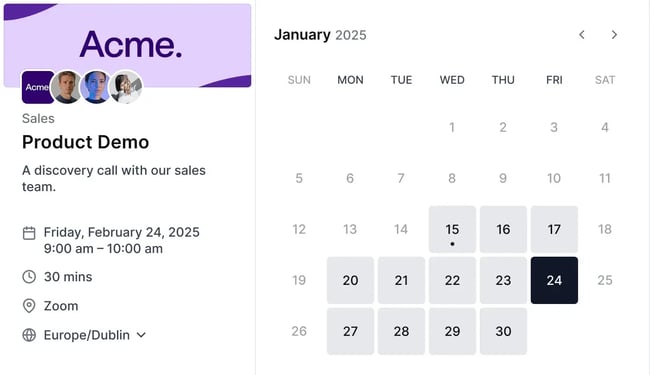
Cal.com
Standout features
Pricing
Calendly
Standout features
Pricing
Reclaim.ai
Standout features
Pricing
Best Free Scheduling Software for Small Sales Teams and Solo Sellers
YouCanBook.me
Standout features
Pricing
HubSpot Meeting Scheduler
Standout features
Pricing
HubSpot Sales Hub
Standout features
Pricing
HubSpot Meeting Assistant
Standout features
Pricing
TLDR: Which free scheduling app should a sales team choose?
Frequently Asked Questions About Free Scheduling Software for Sales Teams
Can I do round robin on a free plan?
How do I reduce no-shows with a free scheduler?
How do I connect scheduling to my CRM without manual data entry?
What if I need territory routing later?
Choose scheduling software that scales with your sales team.